Business Software
Address Book Software
Personal Edition
Business Edition
Accessories
Order Entry Software
Sports Software
Tournament Software
Pro Edition
Lite Edition
League Software
StatTrak
Baseball & Softball
Basketball
Volleyball
Hockey
Football
Soccer
Sports Books
All Books
Contact Us
License Agreement
How to Uninstall
Upgrade Policy
Return Policy
Privacy Policy
|
Tournament Brackets Made Simple.
|

|
Tournament Scheduler Lite 6.0
- Quickly create brackets and add your teams
- Single, Double Elimination, and Pool Play
- Any number of teams from 3 to 128
- Download a Free Trial Version Now
- Low price only $69.95
|
- Overview
- More Details
- Free Trial
|
|
Screen Images
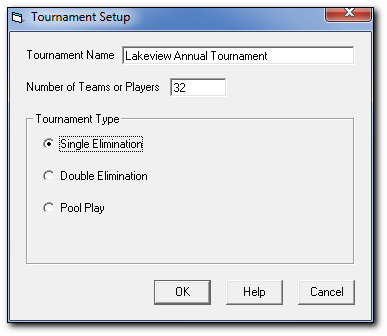
Tournament Setup
|
In Tournament Setup you enter the name of your tournament, the number of teams (or players), and the type of tournament (single elim, double elim, or pool play). Click OK and you'll immediately see the tournament chart.
|
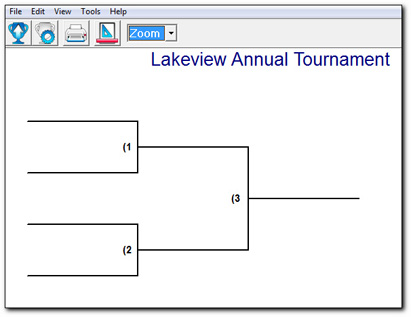
Tournament Chart
|
Click on any game in the tournament chart view the Edit Game screen.
|
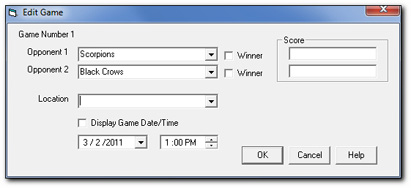
Edit Game
View Larger Image
|
Here's where you enter opponents, game location, and game time. All of this information is optional. Enter only what you'd like to see on your chart. Once the tournament has start, come back to Edit Game to enter in game scores. Check the winner box and the winner is automatically advanced to the next bracket.
|
Options
View Larger Image
|
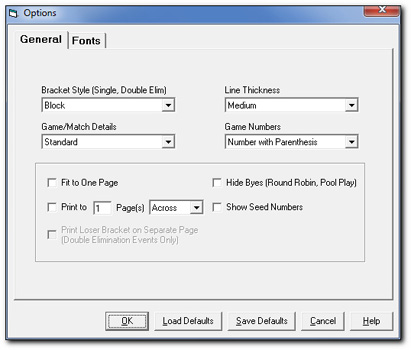
In Options, you can change the appearance of your chart. There are options for line thickness, hide byes for pool play, and show seed numbers, and more. Click on the Fonts tab to change font style, size, and colors. Click on the Edit Menu to add your logo or other image.
|
|
|
|